

Turn your zine idea into a print-ready template.
Choose the size, binding and pages. Preview the imposed order, then create an editable Affinity Publisher or InDesign template with assembly instructions.
Kumizine Studio
From idea to print-ready zine
Choose a binding
15 stylesImposition
A5 · 16ppSheet 1
Sheet 2
Sheet 3
Sheet 4
Output
- ✓Template
- ✓Assembly guide
- ✓Print settings
Affinity + InDesign
An editable template, ready to make
Try free →Your first zine, made easier
Not sure where to start? Ask Kumi.
Tell Kumi what you want to create and we'll do all the hard work for you.

Explore Kumizine and create for free
Explore, build and make a zine.
Experiment with zine settings. Save and preview projects. When you're ready, your first download is free.
- Explore
- Preview
- Make
- Finished zine
- 01Explore
Try your ideas without paying.
Change the size, binding, pages and paper as often as you like. Kumizine works out the page order while you explore.
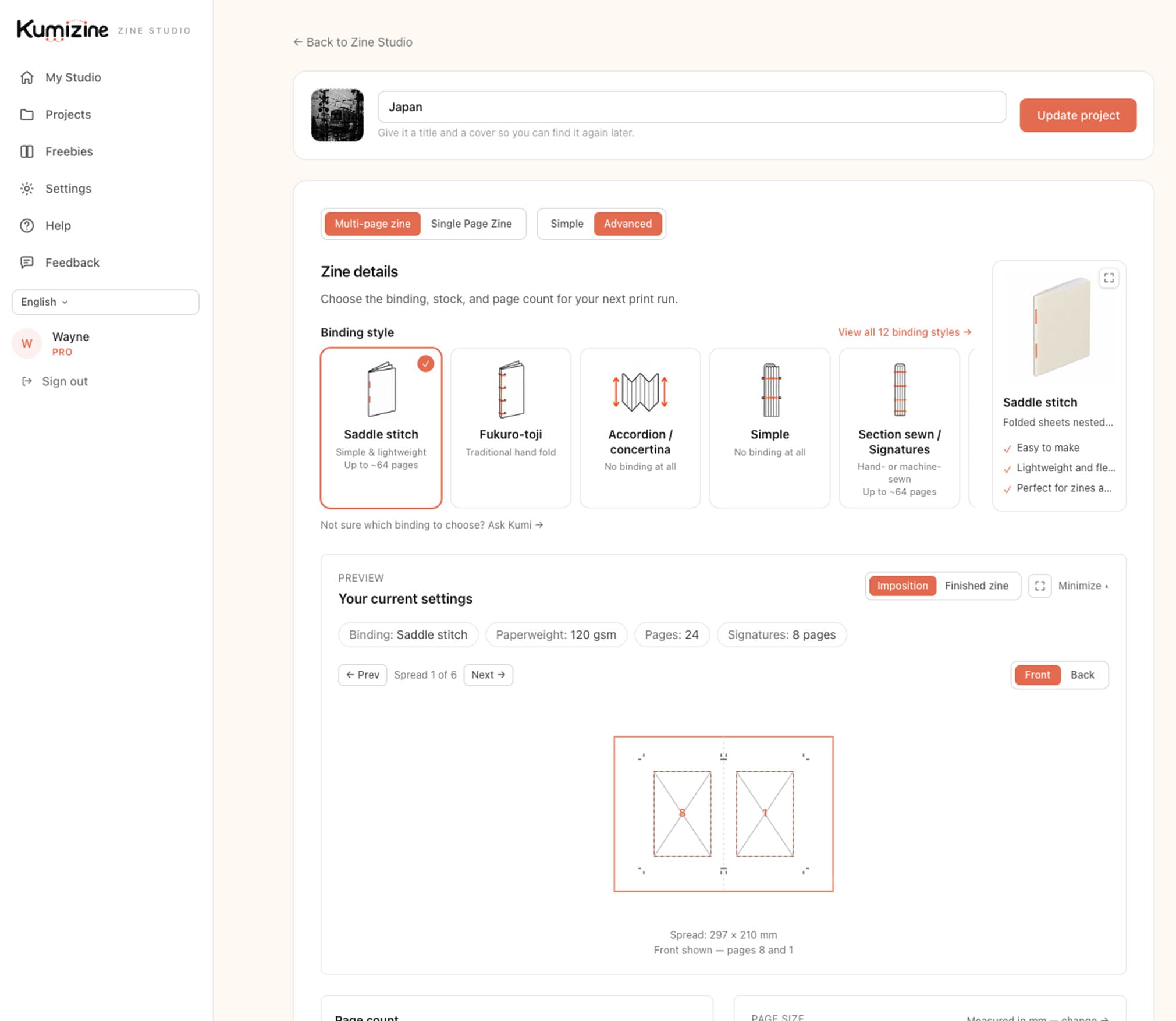
Your settings → a real print-ready template
- 02Preview
See what Kumizine creates.
Preview the page order, spreads and production setup. Save the project, return to it later and keep refining it for free.
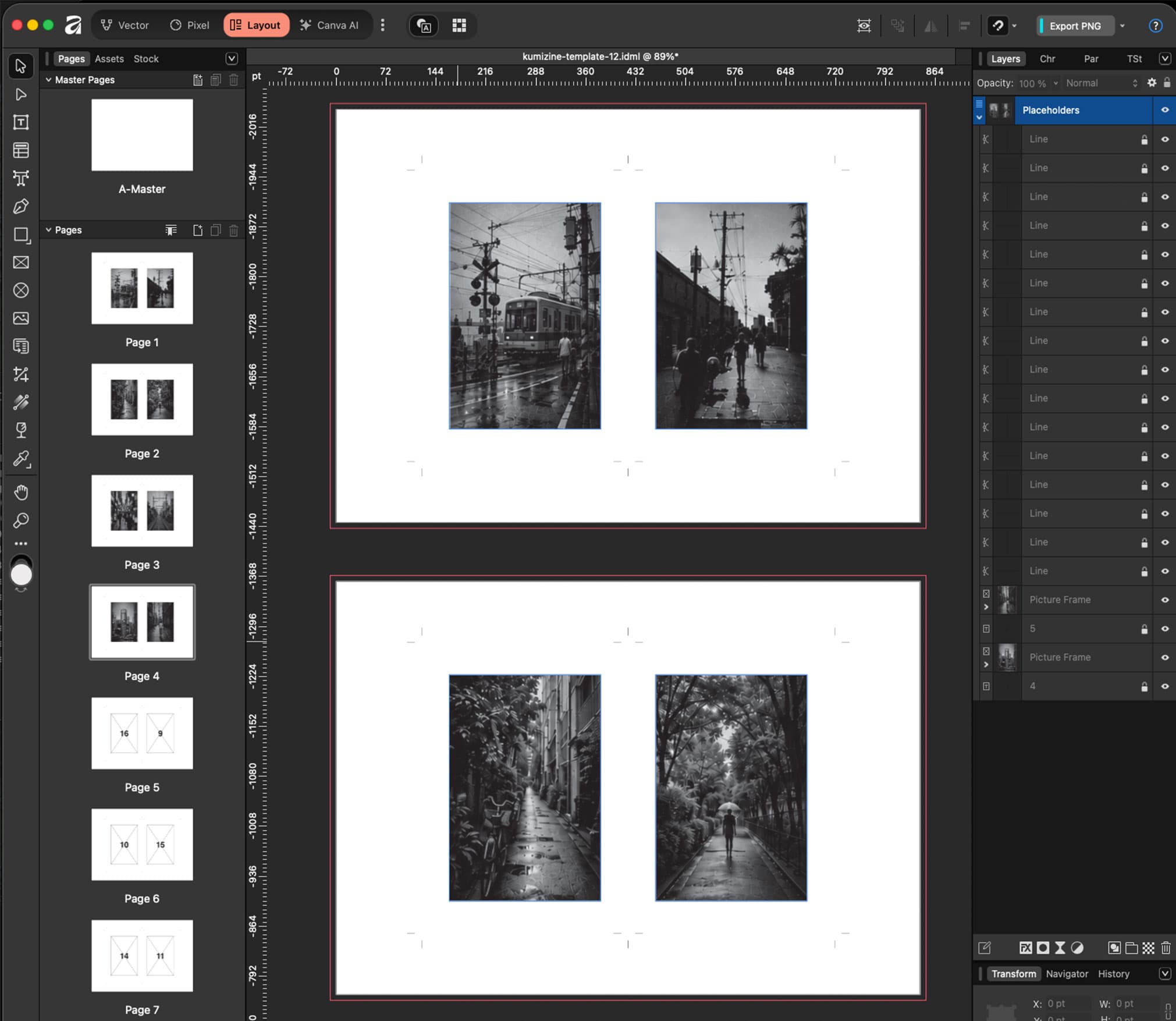
Real editable .IDML template
- 03Make
Download when it feels right.
Your first basic template is free. Open it in Affinity Publisher or InDesign, then print, fold and bind your zine.
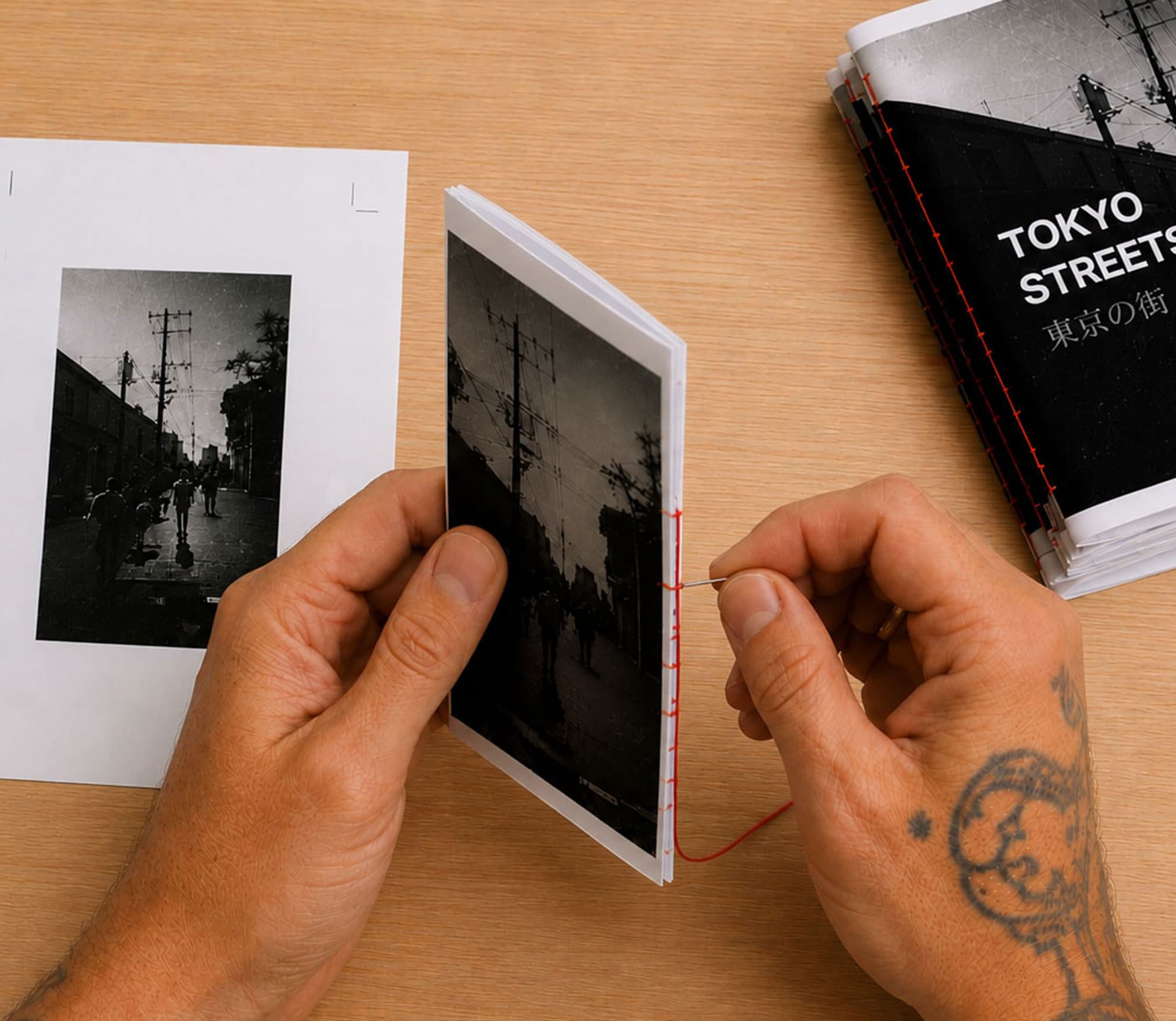
From screen to finished zine.
You create. Kumizine works out the rest.
Kumizine Learn
Learn how to make your zine
Make
Make your first zine
Choose one idea, plan it on paper, make one test copy, then print and bind the finished zine.
How to arrange zine pages
A practical guide to booklet page order, double-sided flipping, and why folded zine pages can look upside down before the print settings are fixed.
Make
Affinity Publisher zine workflow
Use Kumizine to create an Affinity Publisher zine template with the page order, imposition, spreads, and signatures worked out for you before you print.
You create. Kumizine works out the rest.
Skip the uploads. Connect your library.
Your photographs already live somewhere. Keep them there.
Connect the library you already use and sequence lightweight previews as real zine spreads. Your full-resolution originals do not need to be uploaded to Kumizine.
Your approved sequence continues into a correctly structured, editable Affinity Publisher or InDesign document, ready to relink to the originals and design.
The connected workflow
- 1Connect
- 2Preview
- 3Sequence
- 4Structure
- 5Design
Traditional: finish → export → upload large PDF → impose


Become a zine-expert
Follow the path from Explorer to Publisher
Track the guides you complete, the zines you create, and the print-ready files you produce. Explorers can earn up to three additional downloads, including one for publishing approved work to Kumi-nity.
